MeetMic 1.8
New month brings you another feature-packed MeetMic release! Let’s have a look what we have for you today.
New Features
Fresh Look and Feel
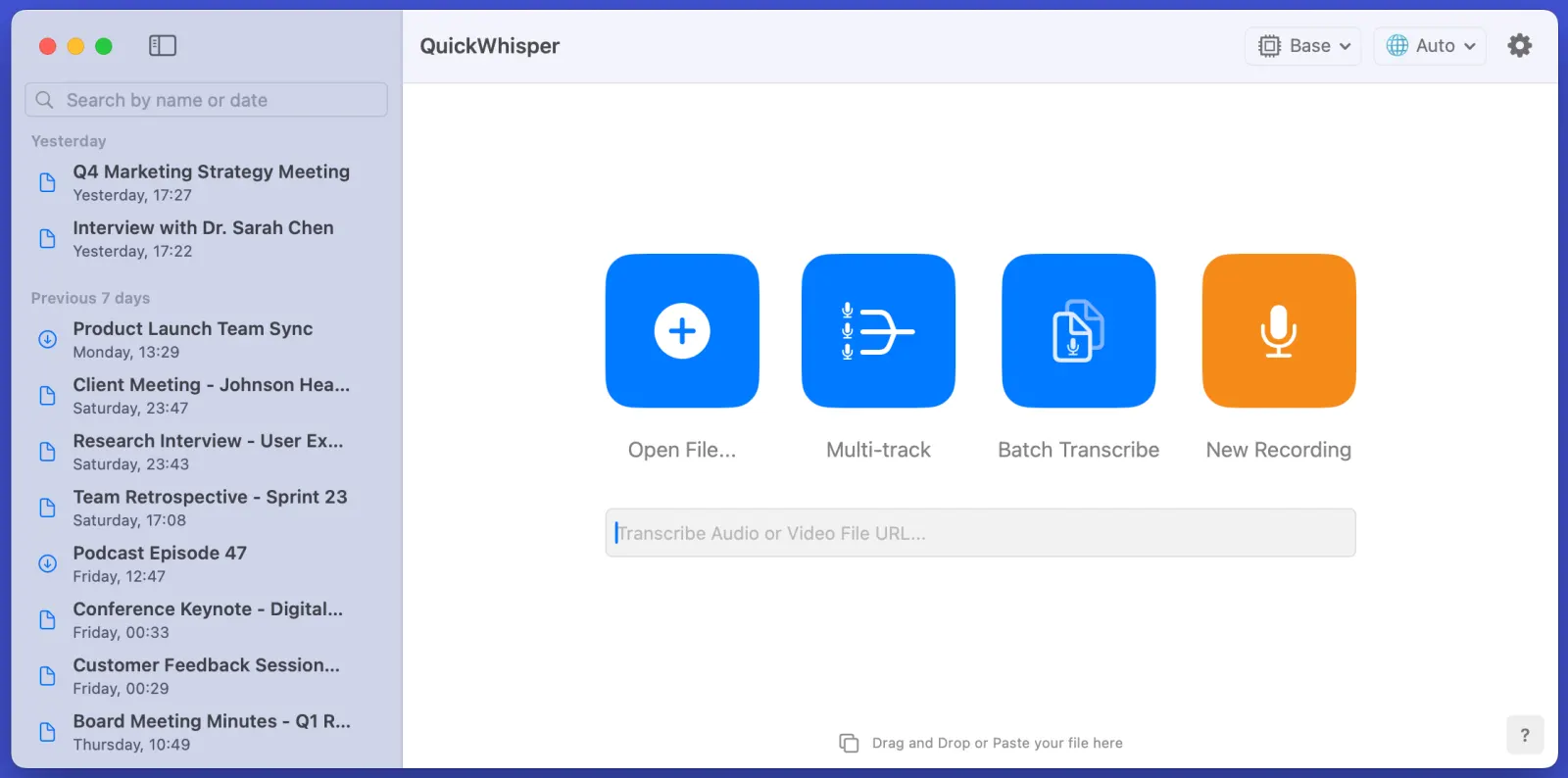
MeetMic's start screen just got a stunning makeover! We've redesigned the interface with enhanced contrast and add distinctive personality, making it not just more visually appealing but also more functional.
Batch Transcription
Do you need to transcribe multiple files at once? Drag-n-drop files to MeetMic, select export format, and hit "Batch Transcribe." Files will be processed one by one. Each transcription remains individually accessible, allowing you to edit and manage them separately afterwards.
Speaker Diarization: 50% More Accurate!
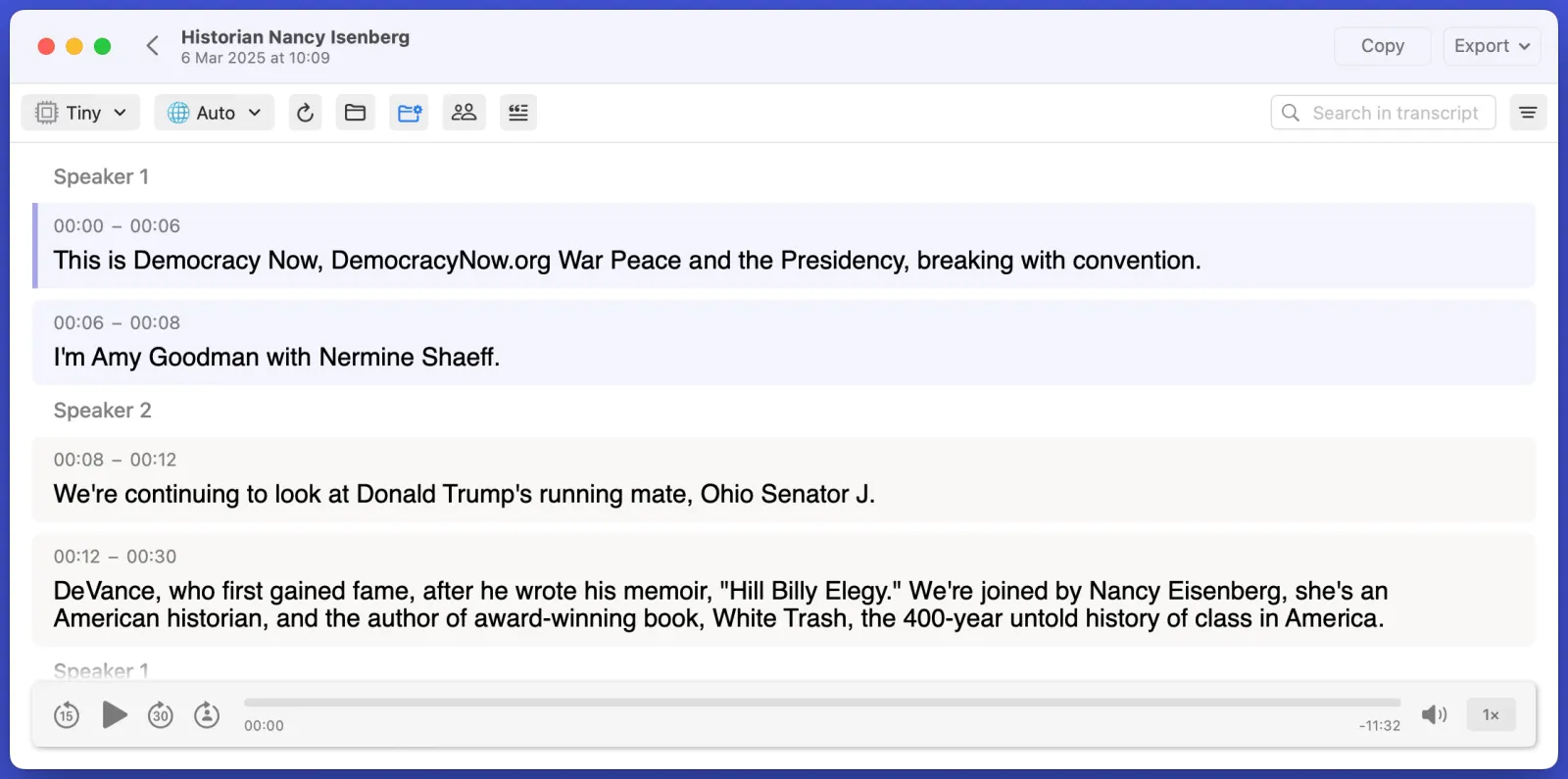
We've made a breakthrough in our speaker diarization engine! This release delivers a remarkable 50% improvement in accuracy, placing MeetMic among the industry leaders in speaker diarization. It particularly shines in interview and podcast recording where speakers maintain clear time separation. The system now excels at:
- More precise speaker change detection
- Better handling of quick speaker transitions
- Enhanced speaker consistency throughout long recordings
We'd love to hear about your experience with the improved diarization feature – share your feedback with us!
Ignore List
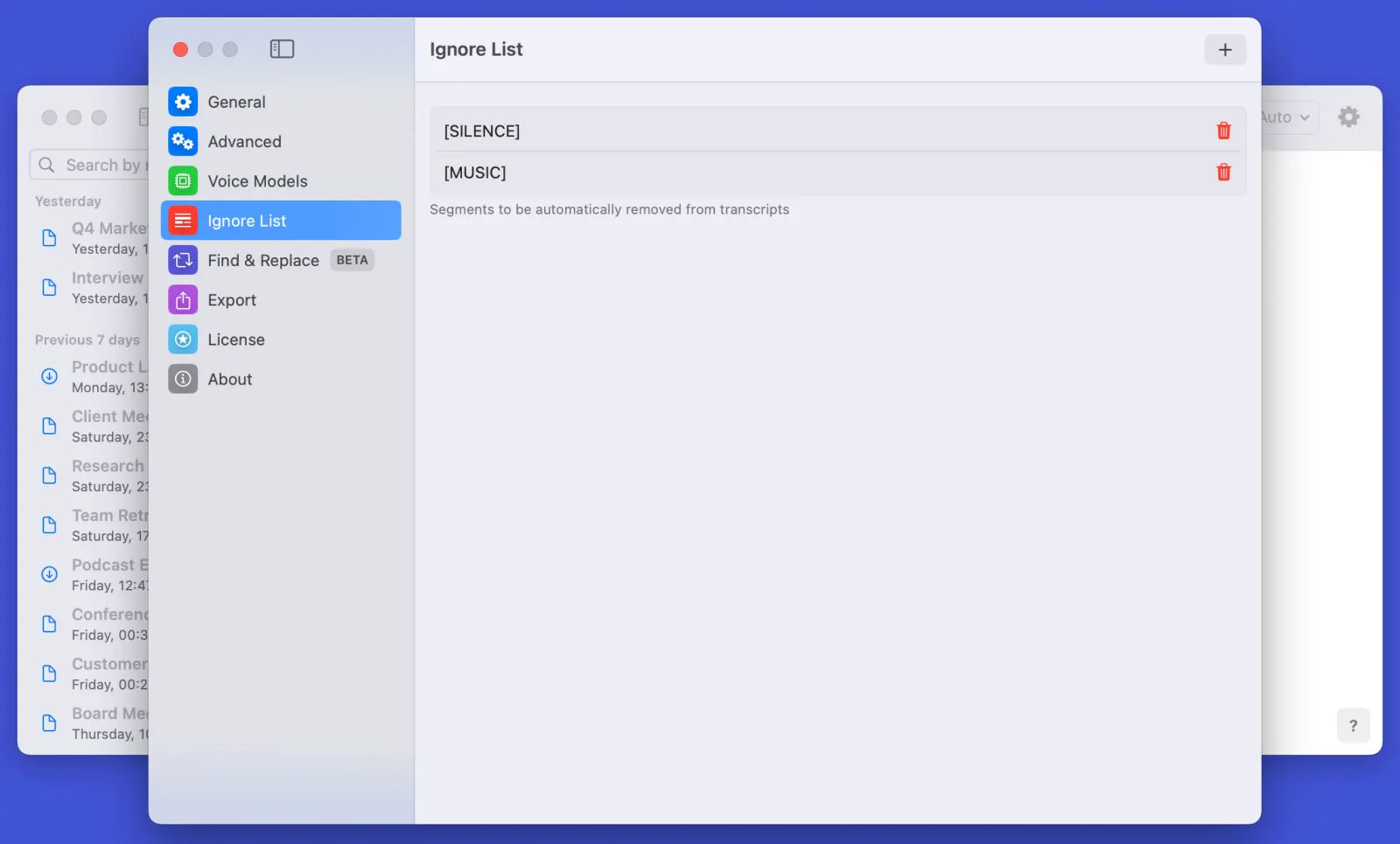
More control over transcription quality with our new Ignore List feature. This feature automatically filters non-verbal segments (like: [SILENCE], [MUSIC]), but also allows you to filter any undesired segments. You can access the feature in Settings → Ignore List or simply open context menu of a segments and click on "Delete and ignore in the future" to add it to the Ignore List.
Find & Replace
Tired of repeatedly correcting the same transcription errors? Our new Find & Replace feature is here to help! Create custom replacement rules to automatically correct repeating mistakes. Whether it's proper names, technical terms, or recurring phrases, set up your rules once and let MeetMic handle the rest. Perfect for maintaining consistency across all your transcriptions.
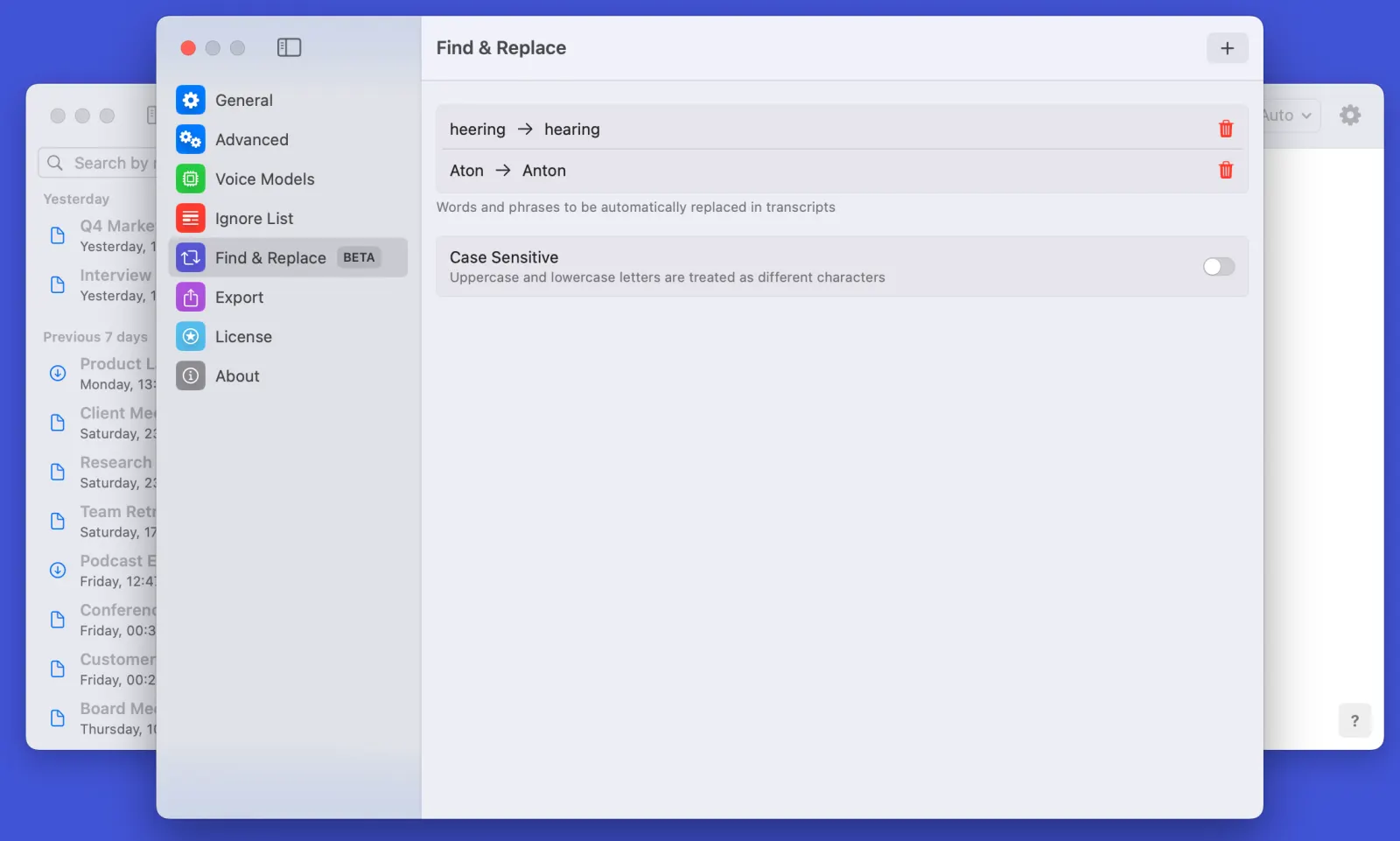
Note: This feature is currently in beta, and while powerful, results may occasionally vary from expected outcomes. We're actively collecting user feedback to improve its accuracy.
Audio Export
Take control of your audio recordings with our versatile new audio export options! Whether you need to export specific channel (microphone or system audio), or export the recording as a whole, we've got you covered. Perfect for anyone who needs more granular control over their meeting recordings.
History Search
Finding past transcripts has never been easier! Our new History Search feature lets you quickly locate specific transcripts by filename, date, or content. The smart search functionality supports both recent and archived transcriptions, making project organization effortless.
Got thoughts? We'd love to hear them! Drop us a line at support@meetmic.app or add your suggestions in the Feedback. Your support helps us make MeetMic better!